A budgeting app for people exhausted from budgeting apps
Know what you can spend, then get back to your life.
What Tend is
Tend is a calendar-based budgeting app for households that want to get on
top of their finances without it consuming all their time.
Most apps over-complicate this with too many categories and chaotic
dashboards, requiring you to manually assign every penny, organize
merchants, and fix broken automation rules.
You think,
"how is everyone doing with this? Is there anything better?"
Tend is different in three ways:
A calendar is the engine for your budget.
A short list of 12 curated categories is all you need.
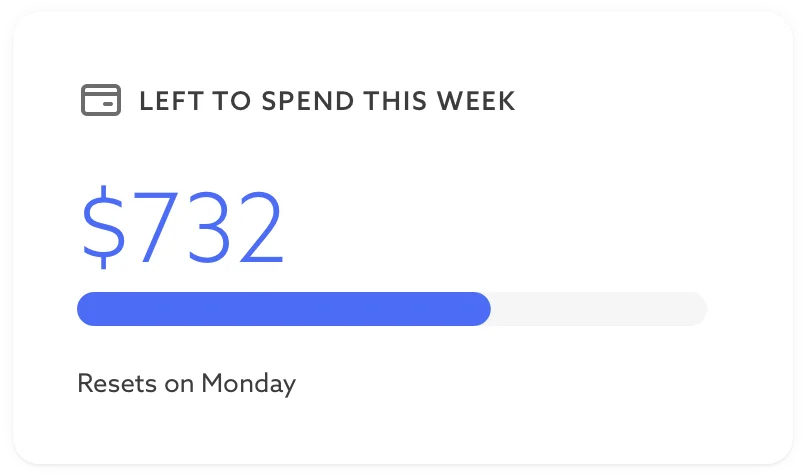
A single number shows how much you can spend each week.
This means less maintenance and more confidence to spend your money on
things you value.
How calendar-based budgeting works
The whole system is built on this simple realization.
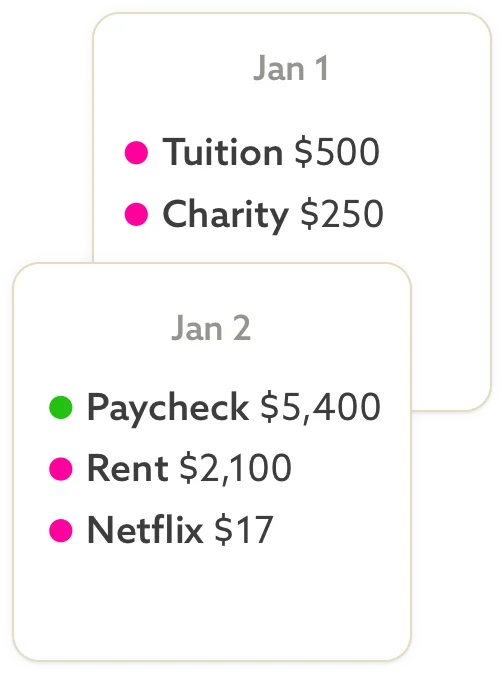
Some payments have due dates (and calendars love dates).
Your rent is due the 1st
Your paycheck lands the 15th
Your subscription renews each year
When you add all your financial commitments to the calendar, your lifestyle
becomes visible. What's left after these are accounted for is the money you
have control over.
Most budgeting systems treat all spending as equally up for debate every
month. Calendar-based budgeting recognizes that a large portion of your
money is already spoken for, and stops asking you to manually allocate money
for every commitment, every period.
The calendar does the work for you.
Why most budgeting apps feel like a second job
YNAB, Monarch, EveryDollar, GoodBudget. Each of these apps gives you a
blank slate to manage your own categories and fund them all at the start
of each month. This is called zero-based budgeting.
But after you've made 100 categories and still can't decide if paying
the babysitter is "Kid Stuff" or "Date Night", you start to wonder if
more might not be the answer.
However, zero-based budgeting did get something right — the security of
knowing your expenses are all funded ahead of time.
Tend kept that and improved it by removing the category confusion and
letting the calendar do the tedious work for you.
Who built Tend
James Kerr built Tend after 17 years of tracking his own spending.
What started with a simple spreadsheet in college evolved into
developing custom plugins for his YNAB budget. After marriage and the
arrival of their second child, he needed an alternative to the
time-consuming apps he'd used in the past.
Tend became that alternative:
a short list of curated categories
fixed expenses scheduled,
and a single weekly spending target for variable expenses.
James founded Tend in 2024 and runs the company from Walnut Creek,
California in the San Francisco Bay Area.
Tend is bootstrapped by a single founder with no outside investors,
which means no pressure to grow fast, cut corners, or answer to anyone
but customers.
All revenue comes from paid subscriptions, not from selling your data or
showing ads. Simple as that.
What real customers say
All of the 330 households on Tend have felt what you're
probably feeling now — relief.
I've really loved Tend and the philosophy of "less is more" when it
comes to budget categorization.
Keeping up on categorizing has been the #1 blocker to maintaining a
regular spending plan.
— Wade
I've been looking for something simple enough to keep on top of our
budget and this looks like a good fit.
It's really clean and working great on mobile.
— Chris
Just reaching out to say I'm trying Tend and I think it's what I've been
searching for ages!
— Oli
Common questions
Is Tend free?
Yes. The free tier gives you the full app with automatic transaction syncing for all your accounts at one bank. If your household uses multiple banks, the paid tier lets you connect them all. See pricing for details.
Does Tend connect to my bank?
Yes. Bank account syncing is available for both free and paid tiers. See pricing.
Who is Tend for?
Tend is for households who want to get on top of their finances without giving up an entire Sunday. If you've tried YNAB or Monarch and felt like the app was working you instead of the other way around, Tend is for you.
Is my data safe?
Yes. Tend uses Plaid to connect to your bank — your credentials are never stored, and Tend only receives read-only access to your transactions and balances. Your data is encrypted in the database and again when backed up. All network traffic uses HTTPS. Tend will never share or sell your data, or use it for anything other than running the product. See the full privacy policy.
How is calendar-based budgeting different from zero-based budgeting?
Calendar-based budgeting automates the tedious parts of zero-based budgeting by using a calendar to set aside money for anything with a due date. Add a payment to the calendar, and the math happens automatically. What's left is yours to assign.